Documentation
loupe does one job: read a change carefully, annotate it, and hand the result to a coding agent. It runs entirely on your machine — no accounts, no uploads, no runtime dependencies.
@@ install @@
loupe runs on Bun (1.0+) and needs git on your PATH.
Then run loupe from any git repository.
loupe isn't found after
bun link (it depends on how Bun was installed), add a function to your
PowerShell profile instead:
@@ usage @@
Run loupe inside the repo you want to review. It prints a localhost URL and opens your browser — the diff renders there, not in the terminal.
| command | reviews |
|---|---|
loupe | working tree vs HEAD — untracked files included as additions |
loupe staged | staged changes only |
loupe origin/main | what the current branch adds vs a base (PR-style three-dot diff) |
loupe v1.0..v1.1 | any commit range |
@@ cli options @@
| flag | effect |
|---|---|
-p, --port <n> | serve on a fixed port (default: any free port) |
--no-open | don't open the browser automatically |
-v, --version | print the installed version |
-h, --help | usage summary |
@@ reviewing @@
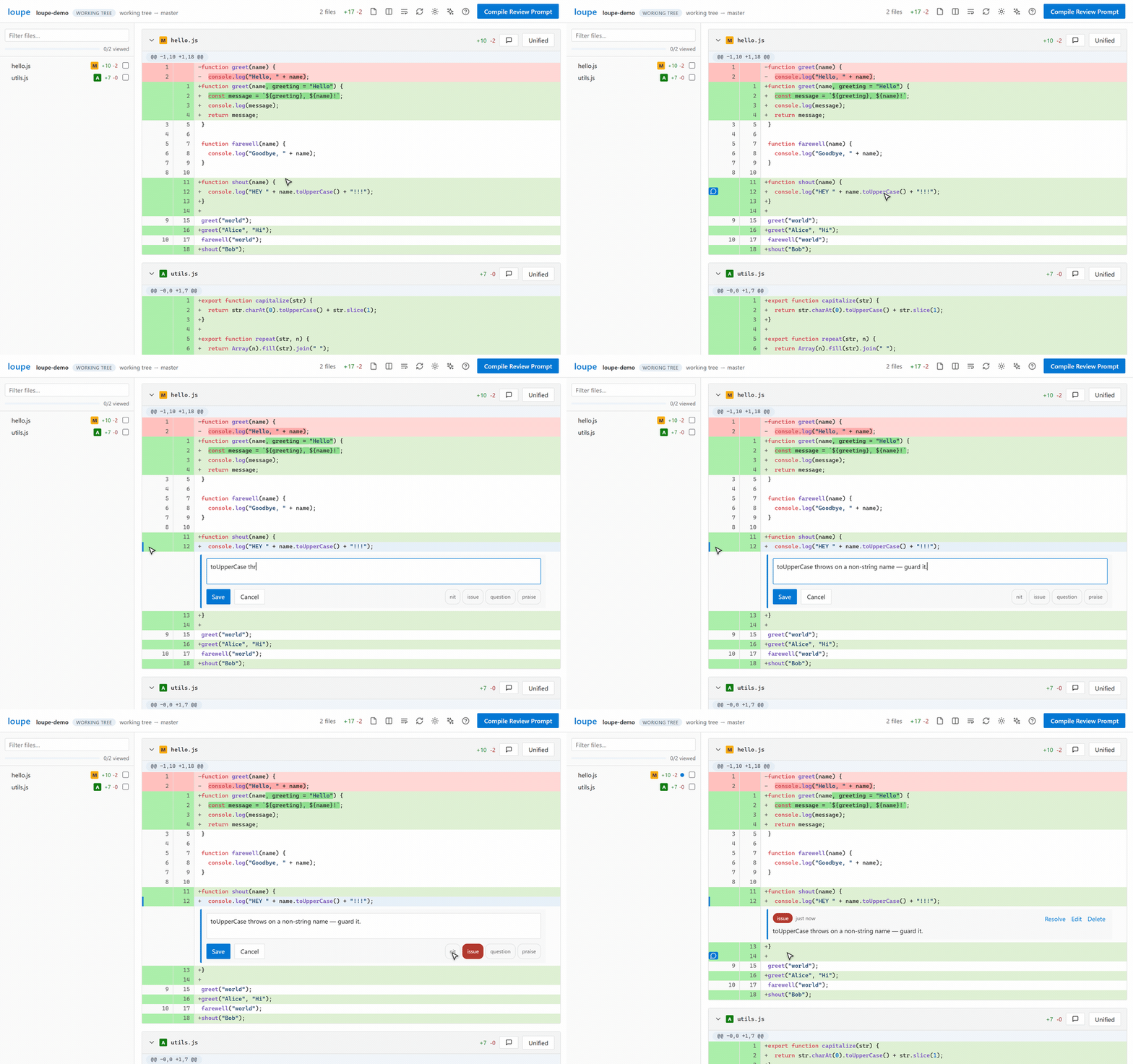
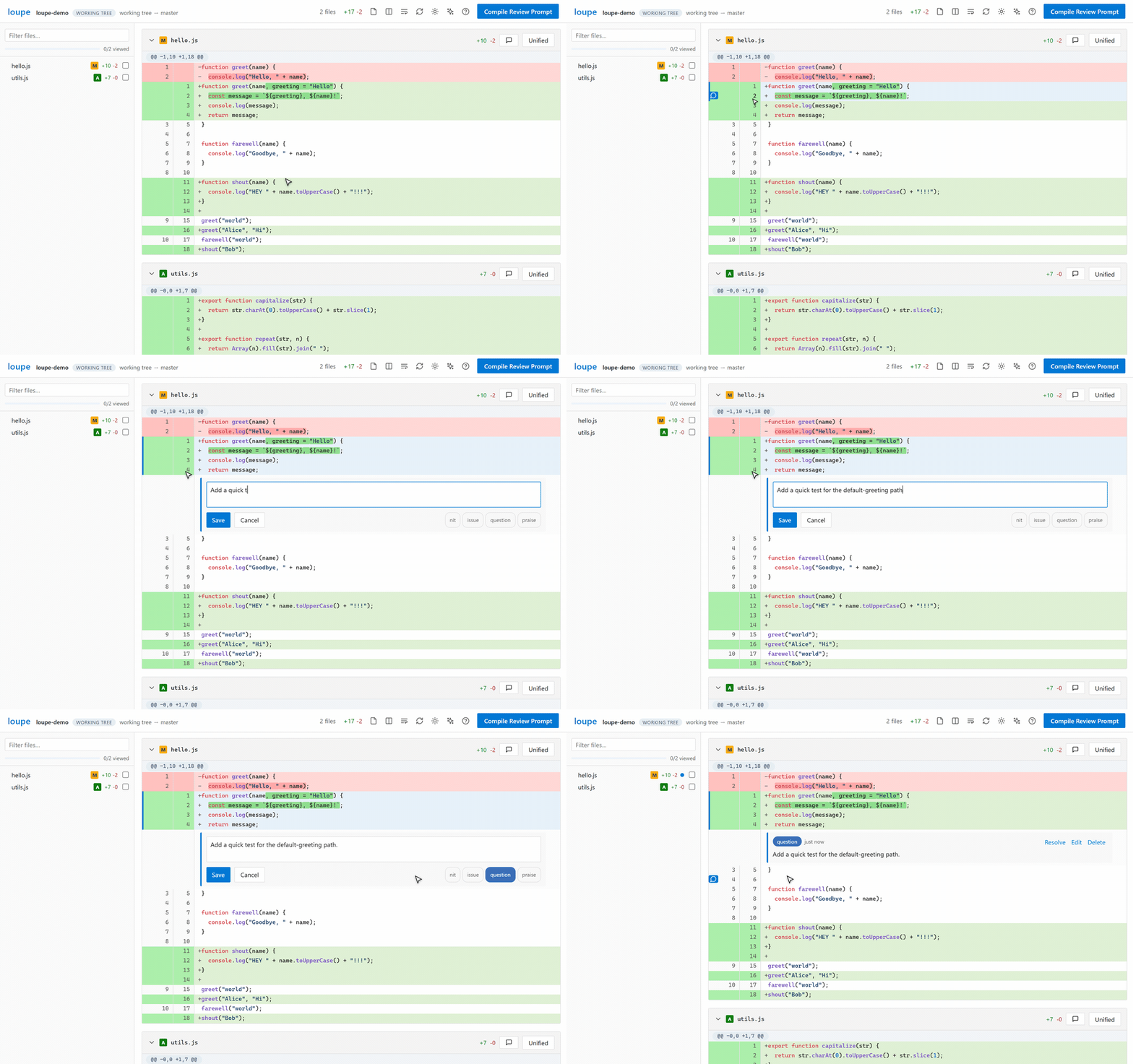
Line comments
Hover any line and press the bubble to comment. To comment on a range,
drag across the line numbers (or shift-click a second
line) — just like Azure DevOps. In side-by-side view you can comment on either pane —
removed lines included — and the export labels them Old line N.
Tags
Each comment can carry an intent tag — nit, issue,
question, or praise. Tags show as pills in the UI and become
**[tag]** prefixes in the compiled prompt, so the model knows severity.
Resolving
Done with a comment but want to keep it? Resolve it instead of deleting — it stays in the thread, dimmed, but drops out of the compiled prompt and the open-comment counts, and reopens with one click. Handy mid-loop: after an agent addresses your notes, resolve what's done and recompile so only the open ones go to the next round.
Orphaned comments
Comments anchor to a line or file in the diff. When the code moves on — you push, then make more unrelated changes — a comment's anchor can leave the current diff. Rather than vanish or silently bloat your prompt, these orphaned comments are gathered in the compile dialog under From earlier reviews, each with resolve and delete. They're kept out of the compiled prompt, so stale notes from older rounds never leak into a fresh review.
File-level comments & viewed tracking
The speech-bubble button in a file header attaches a comment to the whole file. The checkbox in the sidebar marks a file viewed; a progress bar above the tree tracks how much of the diff you've read. The filter box narrows the tree to matching paths.
Live refresh
The refresh button (or reloading the tab) re-runs the diff in place while keeping your comments — useful while an agent keeps editing under you.
@@ keyboard shortcuts @@
| key | action |
|---|---|
| j / k | next / previous file |
| v | toggle viewed on the current file |
| s | unified ↔ side-by-side |
| o | single-file ↔ all-files view |
| t | cycle theme |
| r | re-run the diff |
| c | compile review prompt |
| ? | show the shortcut overlay |
| Esc | close dialogs |
@@ themes @@
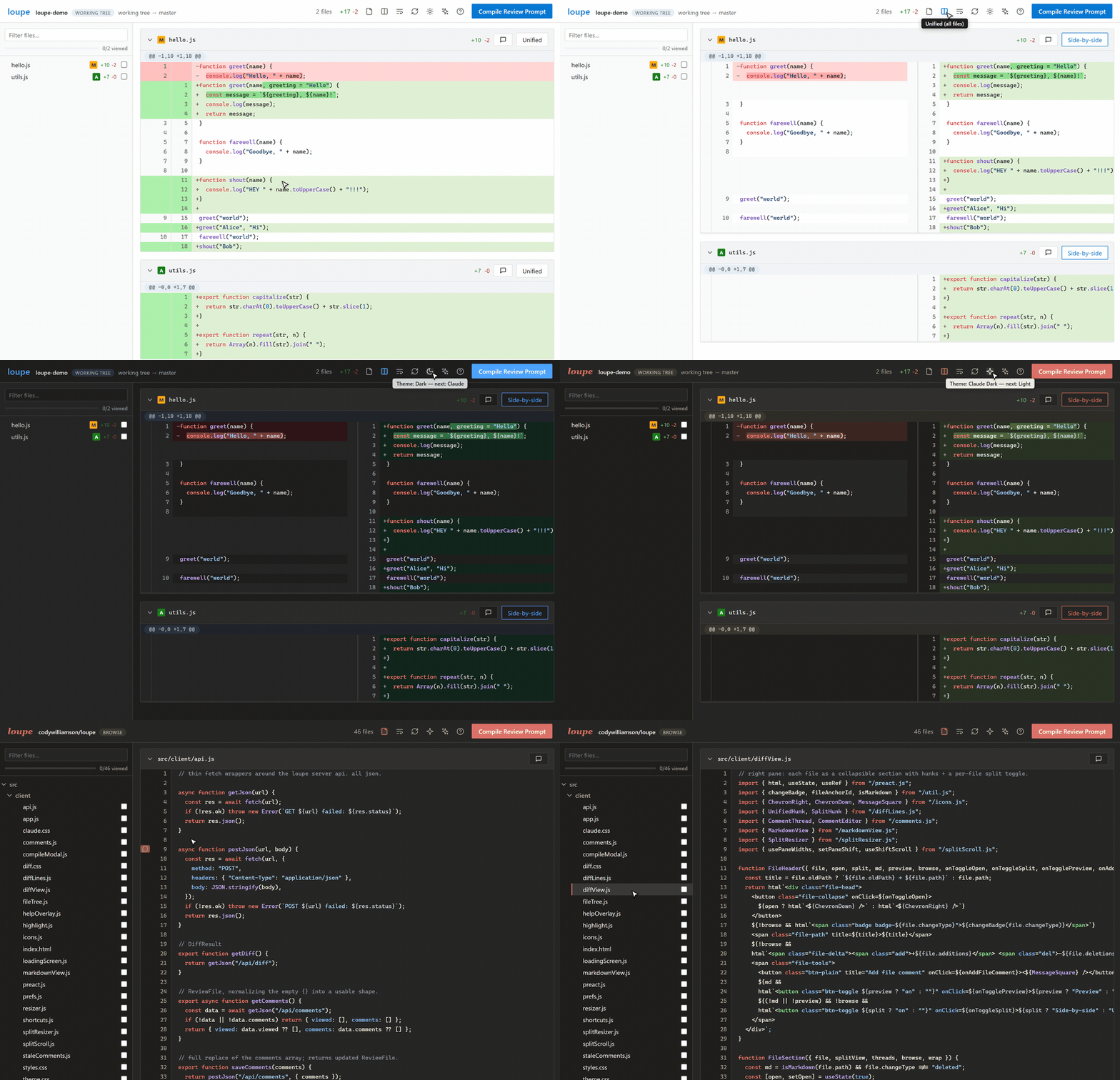
The theme button cycles light → dark → claude → claude dark. The two Claude variants are warm Anthropic-inspired palettes — ivory paper and soft charcoal with terracotta accents (this site wears the dark one). Your choice persists; the first run follows your OS preference.
@@ prompt export @@
Compile Review Prompt assembles every open comment into ordered markdown: file-level
notes first, then line comments sorted by position, each wrapped in ±2 lines of diff
context with the commented range marked by >. Resolved and orphaned comments are left out.
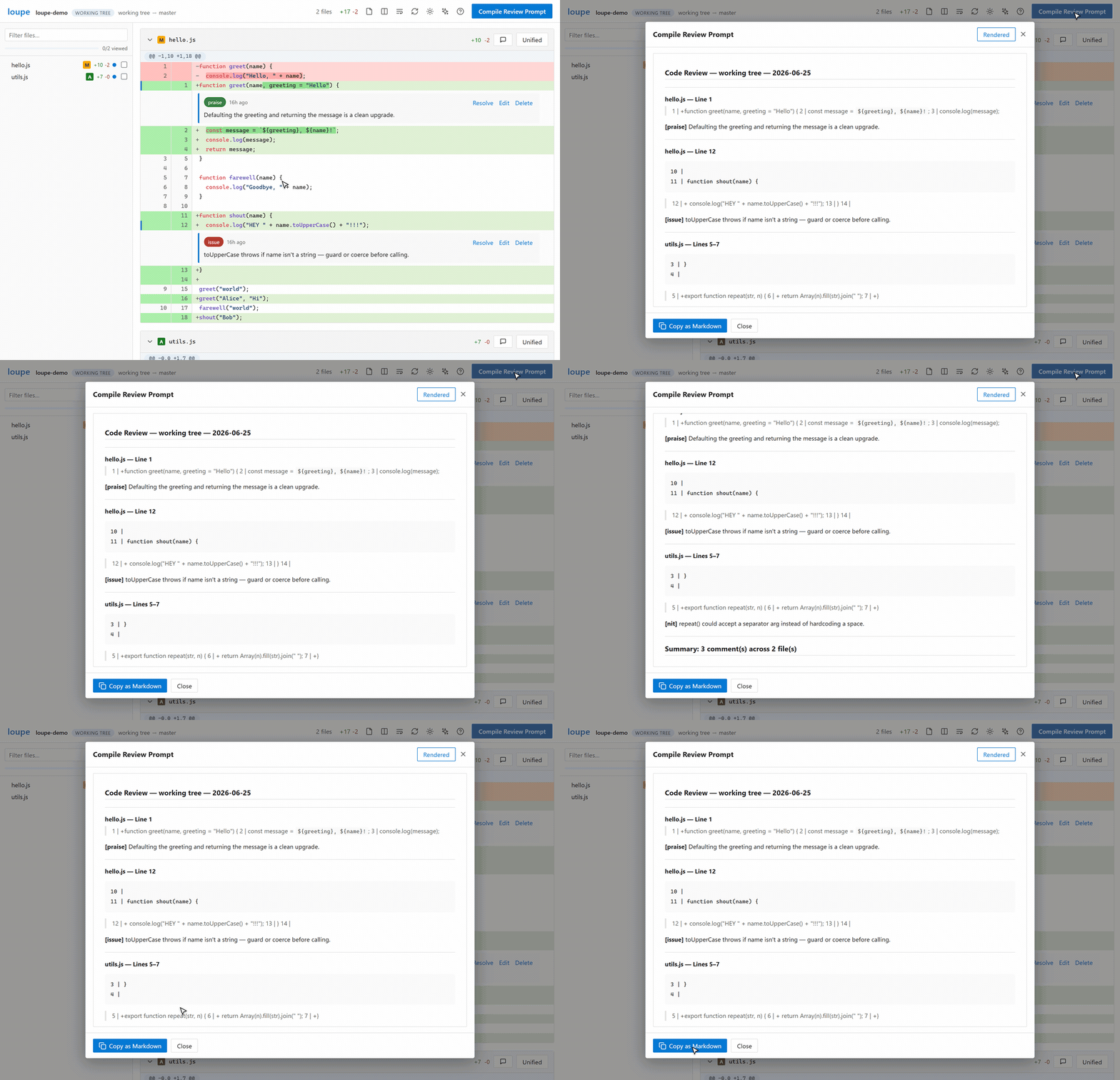
Copy it straight into Claude Code, a PR description, or any agent that takes instructions.
@@ the .review file @@
Comments and viewed-state persist to a .review JSON file in the directory
you ran loupe from. It's created on your first comment — just browsing or marking files
viewed never touches your repo — then added to .git/info/exclude automatically.
It survives restarts: close the tab, come back tomorrow, your review is still there.
The exclude file, not .gitignore: .gitignore is tracked, so editing
it would show up as a repo change in the very review you're running. loupe also keeps
.review out of the file list it renders, so one committed before you ever ran
loupe still stays out of the way. Flip Review the .review file
in the settings menu (the gear in the top bar) to review it like any other file.
@@ staying updated @@
loupe checks its own repo for newer release tags (throttled, fully offline-safe). When
one exists, a pulsing dot appears next to the wordmark — click it for the exact
git pull command. Updating is just pulling the repo you cloned.